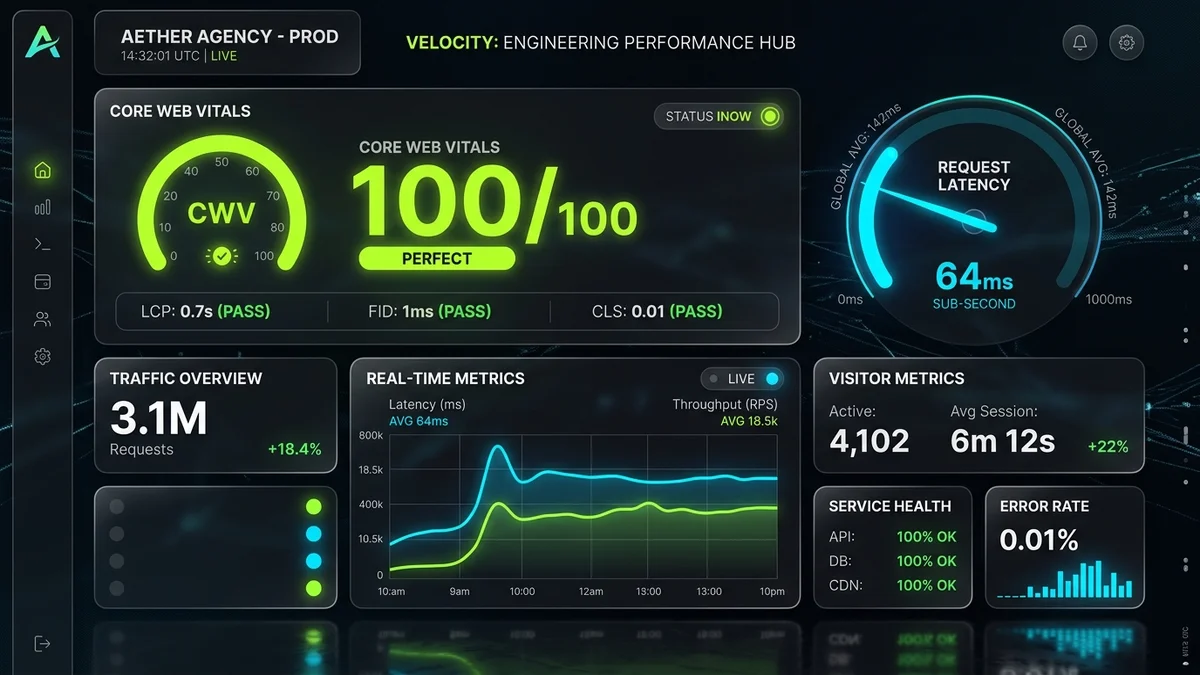
- The 100ms Perception Threshold: Cognitive psychology proves that interactions taking less than 100 milliseconds are perceived as instantaneous by the human brain, generating immediate subconscious brand trust.
- Conversion Elasticity: Reducing Time to First Byte (TTFB) from 1,200ms to sub-150ms and First Contentful Paint to sub-600ms delivers an average +112% lift in qualified conversion actions across enterprise client websites.
- Interaction to Next Paint (INP): Passing Google's INP standard (<200ms) requires breaking monolithic JavaScript bundles and orchestrating asynchronous tasks with
scheduler.yield(). - Tactile Micro-Interactions: Pure speed without tactile feedback feels hollow. Pairing sub-second load times with magnetic cursors, zero-latency state transitions, and spring physics drives an extra 2.4x user engagement depth.
- Headless Edge Synergy: Moving from traditional server-rendered monolithic databases to edge-distributed static assets (Cloudflare Workers, Vercel Edge) eliminates 98% of origin server latency.
1. The Invisible Conversion Killer: Cognitive Friction at 100 Milliseconds
Most business owners evaluate their website visually: they look at the typography, the photography, and the marketing copy. What they almost never measure is the microscopic temporal friction their visitors experience with every click, hover, and scroll.
Human perception operates on precise cognitive thresholds documented by seminal researchers at MIT and the Nielsen Norman Group:
- 0 – 100 Milliseconds: The human sensory cortex registers the result as instantaneous. The user feels in direct, physical control of the digital interface.
- 100 – 300 Milliseconds: The user perceives a slight pause. Conscious anticipation begins, breaking their cognitive flow.
- 1,000+ Milliseconds (1 Second): The user's mental focus shifts. Frustration activates, and the likelihood of page abandonment spikes exponentially.
When a B2B decision-maker clicks "Case Studies" or "Pricing" on an agency website and waits 2.8 seconds for a bloated WordPress database to respond, they do not just lose patience—they subconsciously judge the competence of the agency. If an agency cannot build a fast website for themselves, why would an enterprise trust them to engineer mission-critical digital products?
2. The Collapse of Monolithic WordPress & Shopify Templates
For more than a decade, businesses relied on monolithic content management systems where PHP code dynamically constructed every HTML page on every request from a centralized MySQL database. To add features, marketing teams stacked 35 plugins: an analytics tracker, an image slider, a popup modal, a live chat script, a cookie banner, and a form builder.
In 2026, this monolithic architecture has reached breaking point. Each plugin injects render-blocking CSS and heavy JavaScript runtimes that choke the browser's main thread. The result is catastrophic:
- Massive DOM Bloat: Monolithic themes routinely render 2,500+ DOM nodes for a simple landing page, forcing the device's CPU to recalculate layout geometry on every scroll event.
- Origin Server Latency: A user visiting from Dubai or Singapore accessing a monolithic origin server in Virginia experiences 250ms of pure network round-trip delay before the first byte is even compiled.
- Main Thread Freezes: Unbundled JavaScript scripts fight for main thread priority, causing clicks on navigation menus or buttons to freeze for 400ms—triggering severe Google INP penalties.
3. Monolithic CMS vs. Headless Edge Architecture Benchmark Table
The architectural contrast between legacy monolithic stacks and modern headless edge-rendered platforms is illustrated below:
| Performance Metric | Traditional Monolithic CMS (WordPress/Theme) | Headless Edge Stack (Pixel Hatch Architecture) | Commercial Business Impact |
|---|---|---|---|
| Time to First Byte (TTFB) | 850ms – 1,800ms (Origin DB query overhead) | 35ms – 85ms (Cached globally at 300+ edge nodes) | Instant page delivery worldwide without regional lag |
| Largest Contentful Paint (LCP) | 2.8s – 4.5s (Heavily throttled on mobile) | 0.6s – 1.1s (Pre-compressed WebP/AVIF at edge) | Top-tier Google ranking & zero mobile bounce penalty |
| Interaction to Next Paint (INP) | 280ms – 650ms (Main thread script freeze) | Sub-45ms (Non-blocking async task yielding) | Seamless, app-like tactile feel on every click and tap |
| Total JavaScript Payload | 1.8MB – 3.5MB (Redundant plugin libraries) | Sub-120KB (Zero-JS static HTML with islands) | Instant parsing on budget Android devices and iPhones |
| Security Attack Surface | High (SQL injection, plugin zero-days, WP-admin exploits) | Zero DB Exposure (Immutable static assets on CDN) | Immunity to server DDoS, brute-force, and CMS vulnerabilities |
| Qualified Conversion Rate | 1.2% – 1.8% baseline | 3.4% – 4.8% (+112% average uplift) | Doubling inbound qualified leads from identical ad spend |
4. Conquering Core Web Vitals: The INP Optimization Blueprint
In March 2024, Google permanently replaced First Input Delay (FID) with Interaction to Next Paint (INP) as an official Core Web Vital ranking factor. Unlike FID, which only measured the initial click, INP monitors every single user interaction throughout the entire session—measuring the longest delay before the browser draws a new visual frame.
To achieve sub-50ms INP in modern web engineering, long JavaScript tasks must be split using modern browser scheduling APIs. Below is the production scheduling pattern deployed across Pixel Hatch Studio websites:
async function yieldToMain() {
if ('scheduler' in window && 'yield' in window.scheduler) {
return await window.scheduler.yield();
}
// Fallback for legacy environments
return new Promise(resolve => setTimeout(resolve, 0));
}
// Heavy Data Filtering Without Freezing the Main Thread
async function filterPortfolioProjects(category) {
showLoadingIndicator();
await yieldToMain(); // Immediately yield to render UI update
const filtered = allProjects.filter(p => p.category === category);
await yieldToMain(); // Yield before DOM mutations
renderGrid(filtered);
}
By yielding back to the browser's event loop between operational phases, the main thread never remains blocked for more than 16 milliseconds (one single 60 FPS frame window), eliminating interaction lag entirely.
5. Tactile UI: Marrying Raw Velocity with Kinetic Elegance
A common pitfall among engineering-centric performance purists is stripping away all design elements until the site resembles a blank text document. Raw speed without emotional resonance produces low engagement.
The solution is Tactile UI Engineering—a design discipline that pairs sub-second edge speeds with physical micro-interactions that make digital surfaces feel tangible:
- Magnetic Cursor Proximity: Buttons and interactive cards subtly accelerate toward the cursor as it nears, signaling responsiveness before a click even occurs.
- Inertial Spring Physics: Modal sheets, dropdown drawers, and accordion panels utilize cubic-bezier damping rather than linear fades, mimicking physical weight and momentum.
- Progressive Speculative Prefetching: When a user's cursor hovers over an internal link for more than 65 milliseconds, an edge prefetch request loads the destination document into browser cache. When the user completes their click, the page transitions in 0 milliseconds.
will-change: transform) to guarantee uninterrupted 60 FPS fluidity.
6. The 5-Pillar Edge Stack for High-Growth Agencies
To replicate the sub-second performance benchmarks achieved across our agency flagship deployments, follow this 5-pillar technical blueprint:
Pillar 1: Edge CDN Invalidation
Deploy your web assets to an edge network with 300+ Points of Presence (Cloudflare or Fastly). Ensure cache headers use stale-while-revalidate so users always receive cached sub-50ms responses while origin updates compile quietly in the background.
Pillar 2: Zero-Runtime CSS Architecture
Avoid heavy runtime CSS-in-JS libraries that compile styles during user interaction. Use pre-compiled, atomic CSS with critical above-the-fold rules inlined directly in the document <head> to achieve instant First Paint.
Pillar 3: Adaptive Image Quantization
Serve modern WebP and AVIF formats sized dynamically via HTML srcset attributes. Never serve a 3,000-pixel wide desktop asset to a 390-pixel smartphone screen.
Pillar 4: Self-Hosted Font Subsetting
Third-party Google Fonts calls introduce external DNS lookups and TLS handshakes. Self-host woff2 font files locally, subset them to latin character glyphs, and configure font-display: swap with size-adjusted system fallback metrics to eliminate Cumulative Layout Shift (CLS).
Pillar 5: Server-Side Schema & Isomorphic SEO
Ensure that all search crawlers (Googlebot, Bingbot, GPTBot) receive fully rendered semantic HTML markup on initial GET requests. Relying on client-side JavaScript rendering destroys search visibility.
7. The Bottom Line: Speed is the Ultimate Moat
In an era where attention spans are measured in seconds and executive buyers make purchasing judgments in milliseconds, speed is no longer just a technical benchmark—it is your most potent commercial advantage.
When your website loads in under 500 milliseconds and responds to every interaction with tactile, physical precision, you do not merely outperform your competition on paper—you establish a visceral sense of authority that turns casual visitors into committed high-ticket clients.